

Adding Money to Your Tank Account
Last updated February 17, 2026
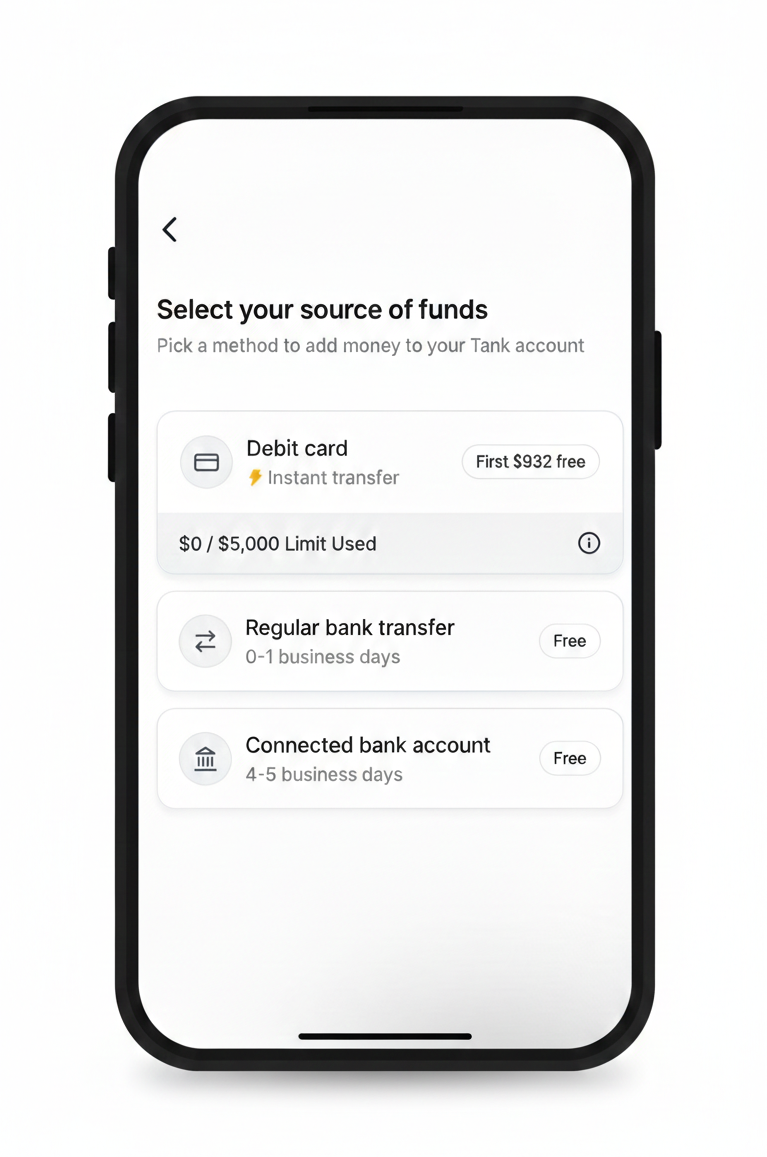
You can fund your Tank Account through a linked card or bank account transfer
| Funding Method | Speed | Cost |
| Debit card | Instant | Fees after the first $1000 in deposits |
| Regular bank transfer | 0-1 business days | Free |
| Connected bank account | 4-5 business days | Free |
How to fund your Tank Account
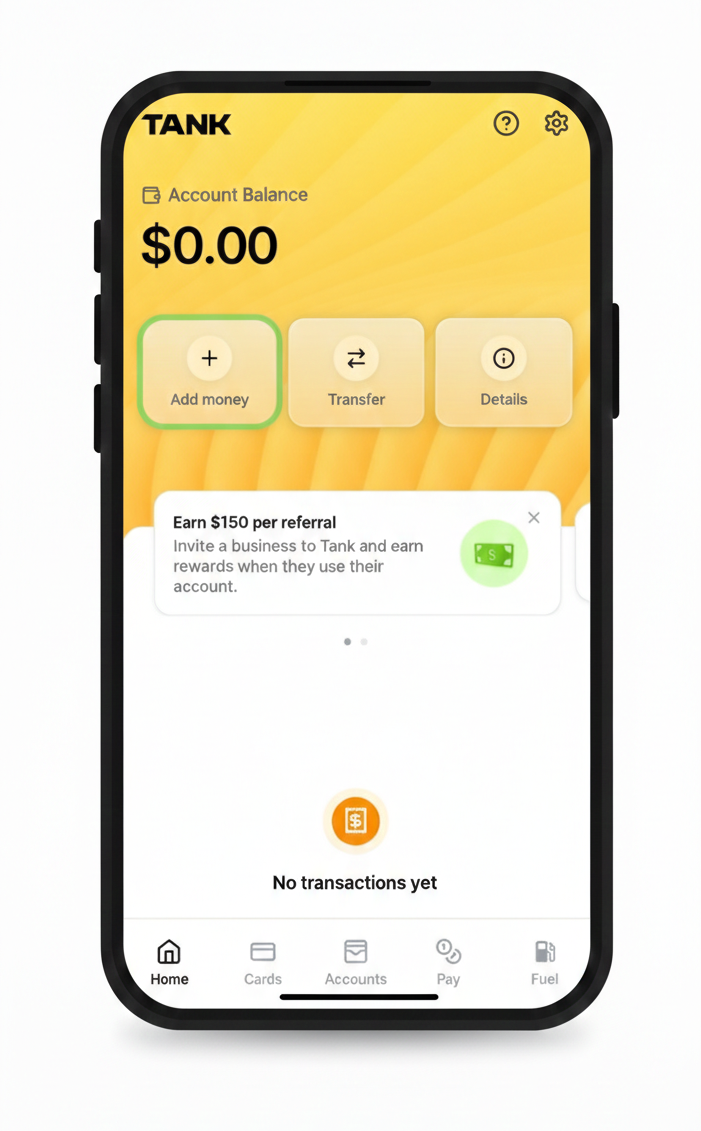
- Open your Tank App and click Add money from the home screen.
- Select your source of funding. You will be prompted to add a linked card or account if you haven't done so already.
Was this article helpful?